Review by Joe Mehaffey and Jack Yeazel
Revision: 12 Sept 2001
Return to GPS General Information Home Page
 ...
...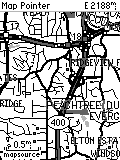
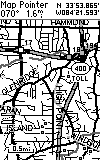
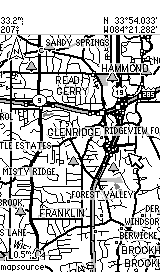
G-V Screen eMap Screen G-II+ Screen
...
Note: Above pictures are NOT to scale but show the different screen resolutions of the three models. The pixel count of the G-V screen is 160x272 and the eMap is 120x160 and that is reflected in the above pictures. The actual size of the G-V screen is approximately 1.5"x 2.2" which is same as the G-III+ shown on the right with its 100x160 pixel display.
OVERVIEW
Consumer GPS technology continues to move forward with the introduction
of the Garmin GPS-V 12-channel parallel GPS receiver. This product
introduces automatic address-to-address (A2A)
routing and WAAS in a small handheld GPSR similar in size and capability
to the G-III+. With the A2A feature, users can input the address
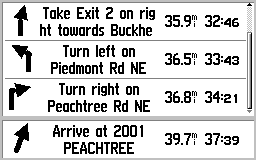
of a destination and the G-V will compute a route and give turn-by-turn
instructions as the route is navigated. The GPS provides a
moving cursor on the moving map showing your position on the GPSR's internal
map.
The G-V comes with "CitySelect" (containing a version of NavTech based maps). This software is similar to "CityNavigator" software furnished with the StreetPilot III. CitySelect has the same excellent (but not perfect) maps, but routing information has been slightly modified for the lower processor power of the G-V. The CitySelect user can enable one of about 9 USA regions at no charge and can enable some or all of the others at additional cost. The G-V has map memory of about 19 megabytes. Memory is not expandable. The G-V will NOT accept memory cartridges.
In the Atlanta area, this 19 megs will hold approximately the northern 1/3 of Georgia including Atlanta. The "map chunks" loaded do NOT need to be contiguous. The G-V can also be loaded with maps from any of Garmin's consumer map offerings such as MetroGuide II (provides address-to-address guidance USA wide.), R&R, TOPO, and Worldmap. Note: The G-V contains a base map which contains all of the major federal and state highways of the USA and Canada. The G-V can perform A2A routing on the basemap as well as using either CS or MG-II maps for this purpose. Thus, the user can load detailed maps for <say> Atlanta and Denver. Then have G-V generate a route to an address in Denver from Atlanta. The G-V will use the CS (or MG-II) map at the beginning and end of the route and the base map along the way. This eliminates the need to load CS (or other detailed) maps for the highway portions of most journeys.
Note: As of September 2001, NO software other than Garmin's MapSource CDROM Maps can be uploaded into the G-V (or any other consumer model GPSR. This MOST DEFINITELY includes Delorme StreetAtlas 9. (SA9 at present cannot be used to upload/download> routes, tracks, and waypoints.) Additional features of MapSource uploadable maps are discussed below.
Street Prices can be expected to be in the range of US$450. Check Discount prices HERE.
FEATURES of the GPS-V
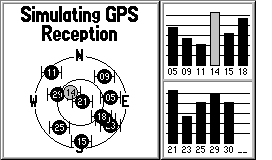
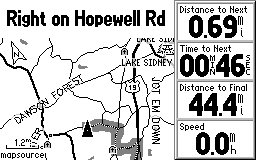
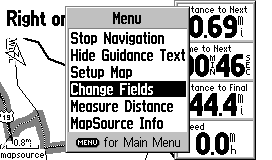
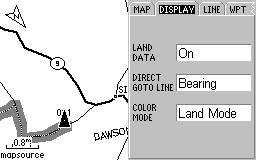
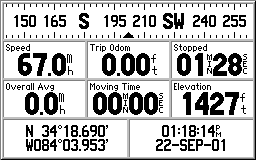
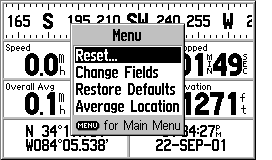
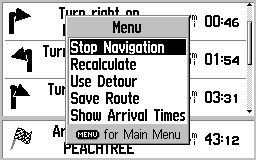
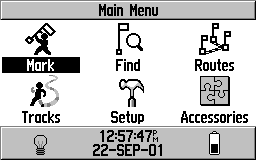
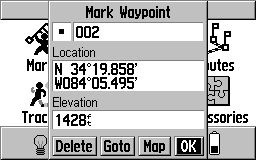
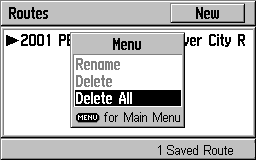
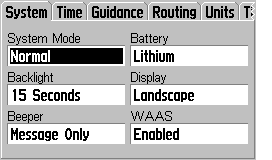
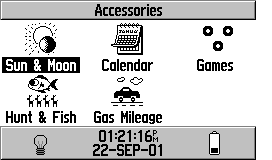
We are going to try something new in explaining the features of the GPS-V. The number of option screens is quite large and the some features are somewhat obscure and difficult to find. Therefore, we are going to show screen photos of most of the GPS-V's operational screens and this will (hopefully) give a feature overview without too many words. (Please let us know if you like/don't like this new approach and if you have additional questions, please eMail us.) (Note: The screen shots below are SLIGHTLY LARGER than the actual 2.2"W x 1.5"H (5.6 x 3.8 cm), 256 x 160 pixels size. Attempts to scale the images produced distortion so we left them as is.)
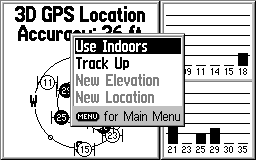
Satellite Page
Pressing Menu on Sat Page Gives:
 Click
for MORE
Click
for MORE
 Click
for MORE
Click
for MORE
 Click
HERE for MORE
Click
HERE for MORE
 Click
HERE for MORE
Click
HERE for MORE
 Click
HERE for MORE
Click
HERE for MORE
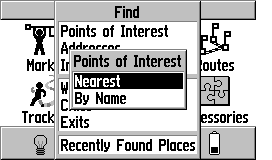
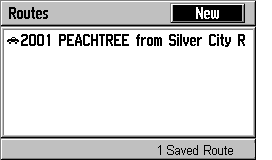
The G-V has, for the first time in a small handheld GPS receiver, the ability to generate an ADDRESS-TO-ADDRESS route from your current location to another point. The destination point can be any of: a) an address, b) a waypoint, c) a road intersection, d) a city or town, e) a highway exit, or f) a Point of Interest from the internal list, or g) Recently Found Places. This extremely flexible system is easy to operate and works quite well. When using CitySelect, the routes are almost always in the "very good" class and almost as high a quality as StreetPilot III using CityNavigator map data. (Note: By "high quality", I mean: a) the route was the one I would have chosen, or b) the route was <almost> as good as the one I would have chosen or c) the route was efficient, direct, and without problems, but was not exactly the route I would have chosen myself. The current routing systems available cannot know traffic conditions or detailed road conditions and so they will not always be able to take local conditions into account when generating a route.) It is NOT possible to generate a route INTERNAL to the G-V from any destination other than your CURRENT location. (This makes sense when you think about it. However, if you want to generate waypoints for future destinations you want to use for automatic route generation, you can easily do this.)
HOW DOES THE USER INPUT A ROUTE REQUEST TO THE GPS-V?
A) The ON ROAD mode of operation.
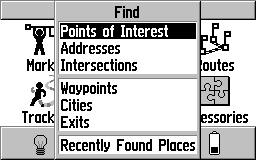
The process starts with the pressing of the FIND key on the front
of the G-V. Alternatively, you can select FIND on the main
menu. Then you will see this screen:
Select ADDRESSES+ENTER gives>
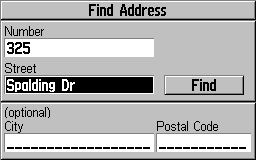
Then Enter an ADDRESS gives:
 Click
HERE for MORE Routing Screens
Click
HERE for MORE Routing Screens
Note: In addition to Addresses, you
can request routes to POI, Intersections, Waypoints, Cities,
Expressway Exits and Recently found places.
Routing Notes:
1) The turn screens "pop up" as a turn is approached
and return to the normal map screen as you pass the turn.
2) The user can select either NORTH UP or TRACK
UP for the main map, but the pop-up screens are always TRACK UP.
3) If you fail to follow the directions,
the GPS will automatically recalculate a new route as soon as it realizes
you are "off route".
4) If you stop at <say> a restaurant,
when you return and restart the GPS, it will automatically recalculate
and take you on the rest of your route.
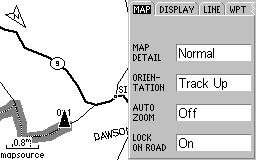
5) "Road Routing" is the default. If you
want to use the G-V on a hiking adventure, you must select the OFF
ROAD option in MAP SETUP (go to MAP page and press MENU, on MAP tab, turn
LOCK ON ROAD to OFF) or the G-V will try and route you from waypoint to
waypoint using nearby roads. ALSO: You must select OFF ROAD
in ROUTE PREFERENCES in the ROUTING SETUP tab in the MAP SETUP menu.
6) Faster Time seems to always give me better
automatically generated routes than the Shorter Distance option.
B) The OFF ROAD mode of operation
As noted in item #5 immediately above, you must select the
OFF ROAD mode of operation. This mode is used for hiking activities.
In this mode, the routes do NOT lock to roads and the compass page
is changed in format to the same as used in the G-III PLUS and other general
purpose Garmin GPS units.
Route from road to 1, the display gives:
The COMPASS screen changes to:
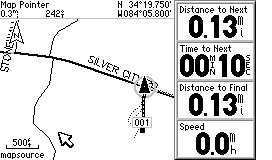
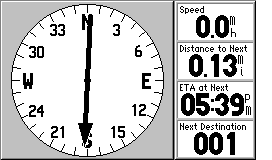
Note that the "highway display" so useful for marine applications
is NOT provided in off road mode. As a result, we believe the
G-V is not really a good choice if you intend to use it for SERIOUS marine
applications.
HOW DOES THE G-V DIFFER FROM THE G-III PLUS? (Not an exhaustive
listing)
1) Higher resolution screen.
2) Automatic address to address routing is available using the basemap,
CitySelect or MetroGuide II maps.
3) There is no formal TRIP COMPUTER page, but you have access
to all of the variables by selections on the COMPASS page.
4) The G-V has WAAS augmentation capability.
5) The G-V has an audio BEEP for alarms, messages, and
routing alerts.
6) The G-V "times out to operation" and does not require that you
press the ENTER key to get operational.
7) The G-V has an alkaline and Lithium battery selection.
(Do NOT ask me why they deleted NiCad and added Lithium instead of NiMH!)
8) The G-V has a proximity waypoint Alarm (with separate waypoint
list) and an ANCHOR DRAG alarm.
9) The G-V has waypoint averaging hidden. Go to COMPASS page
and press MENU, select AVERAGE LOCATION.
10) The G-V has "road lock" (cursor locks to the road even if map
and current position differ slightly).
11) The G-V has "route rubberbanding to roads"
(routes generated by address to address routing lock to roads instead of
being straight lines between turn points).
12) The G-V has automatic daylight savings time (but not automatic
time zone selection) for the USA only.
13) The G-V has automatic or prompted off route recalculation capability.
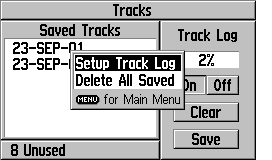
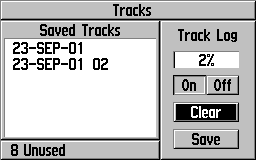
14) The G-V has an area calculating feature, but you have
to hunt for it. To use it, you a) clear the tracklog and b)
go hike around an area and c) go to TRACKLOGS in the main menu and d) save
the ENTIRE tracklog. When you do this, you will be shown a
screen which has the area bounded by the track. You can also select
one of the saved tracks and find the area as well. This is where
you find the TRACKBACK feature as well.
The G-V is by far the least expensive AUTOMATIC address to address GPS receiver available. It is the only truly "handheld" unit available. Other solutions such as the SP-III, and various handheld palm computer products (Magellan Companion and Raco Destinator for example) offer larger screens at higher prices. Compared with any of the other available equipment, the G-V is a general purpose unit equally at home hiking or on the highway. The "ON ROAD" option provides good highway and road guidance with specialized screens. The "OFF ROAD" mode provides the circular compass display that we like for hiking use and other G-V features make the unit quite suitable for hiking activities as well as on the highway use.
We found the battery life quite satisfactory, but not quite as long (on a per AA cell basis) as other less capable units. We suspect that the automatic routing capabilities take a bit more computer power than units without this feature require. We found the G-V equally robust as compared with the G-III PLUS and it is rated waterproof to IPX-7. Some have expressed concern about the G-III+ as to the robustness of the antenna. We do not share these concerns. While it is possible to break anything, the G-V antenna is sturdy and we have had no problems with any of the several GPSRs we have which are constructed similarly.
We do like the G-V's capability of rotating the screen to the vertical or to the horizontal at the touch of a button. We like the screen horizontal for car use and vertical when we carry it around as a pedestrian.
Overall, we think the G-V is a very capable unit and Garmin has not left out features which would limit functionality for the hiker or motorist. As stated before, for marine use, the G-V is not recommended.
WHAT DO WE NOT LIKE ABOUT THE G-V?
There is not a lot to complain about with the G-V. It packs
a lot of functionality in a small package. But:
1) We wish the G-V had a map cartridge capability.
2) We wish the G-V had the "highway" screen so it could be easily
used for marine activities.
3) For Car Navigation guidance, the audio cues of the SP-III
are missed. (How quickly we are spoiled!)
For Questions about the G-V Hardware, eMail JOE
For Questions about mapping software, eMail JACK
Return to Joe and Jack's
Main Website, Click HERE

 __
__
 *
* 


 __
__
 __
__

Fonts and Rectangles

 *
* 


