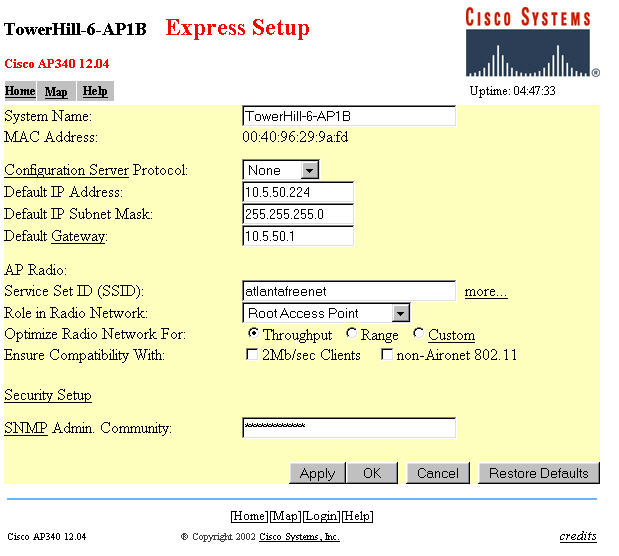
There are a couple of things to note about the above:
1) The System name is arbitrary and should be something meaningful to the system operator.
2) The configuration server protocol options are NONE, BOOTP, and DHCP. You use NONE if you want to use a fixed IP address. You use DHCP if you want the LAN router to pick an IP address for you. BOOTP I do not know much about. It makes it a lot easier to administer the AP if you have a fixed IP address that you can easily refer to.
3) The SSID can be whatever you want for your particular installation.
4) "Role in Radio Network" is a little tricky if you intend to use some units as repeater access points. Root Access Point means the unit is going to have a wirelan connection and will operate (more or less) as a conventional AP. Repeater Access Point means the unit is going to NOT have a wirelan connection and will operate as a repeater for other Cisco APs configured as Root Access Points. Site Survey Client means you can configure the AP for site survey use as a client but it is pretty clumsy at that task. The tricky part is that EVEN IF you want to use a particular AP as a Repeater Access Point, you really want to configure it here as a Root Access Point. The reason is: a) it allows you to program the same AP functionality into all your APs and b) coming soon (below) is an option that you can set that will direct the Root Access Point to BECOME a Repeater Access Point whenever the wirelan is not present. By this arrangement, any Root AP is interchangeable with any repeater AP without any adjustments.
5) For the "Optimize Radio Network For" question, I recommend as follows: Range less than 1 mile, use THROUGHPUT. Range MORE than one mile, use RANGE. See information on range tests done (near end of paper) for more details.
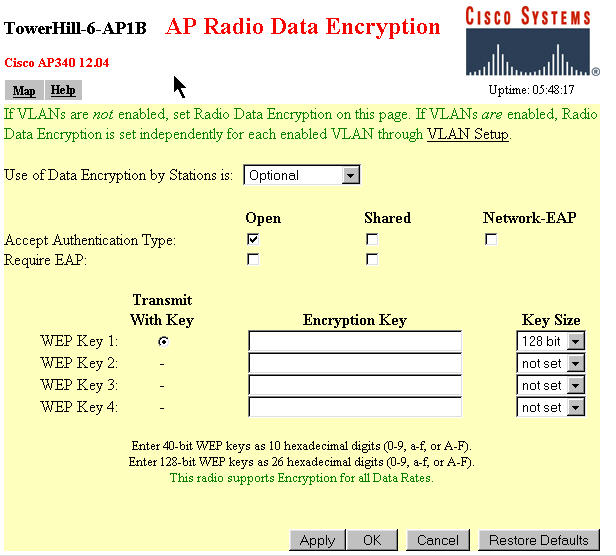
6)Leave the "Ensure Compatibility With" options unchecked. If you check these, many of the neat AP342/352 features (such as repeating and Optional Encryption) will disappear. (I found this out the hard way.)
7) If you are using SNMP management features, insert your Administration Community ID here.
Another Setup Screen you need to consider is the Ethernet Hardware Setup Screen below:
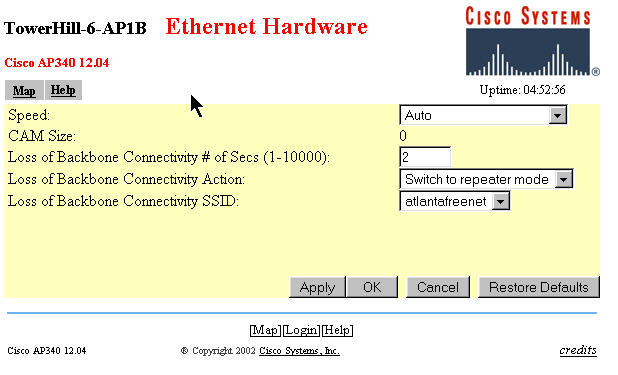
Assuming you have multiple APs and/or some Repeater APs, set the "Loss of Backbone Connectivity Action" to <Switch to Repeater Mode>
This will cause the AP to operate as a standard Access Point unless/until the AP loses the wirelan connection and then it will switch to Repeater AP mode automatically and associate with a nearby AP and continue serving local clients. IF your main AP(s) cannot operate as a repeater for a nearby client, you likely will want to select "shut off the radio" option in case the wirelan link fails. Otherwise, the strong radio signal from the failed AP may continue to link to local clients instead of dropping the RF link and allowing local clients to roam to another AP.
Notes:
1) For the best results where you have multiple Root Access Points, DO NOT leave the Loss of Backbone Connectivity Option set to "No Action" on your Root Access Points. If you do so, in case of Root AP failure, repeaters associated with this Root AP will not roam to mesh with the remaining "still alive" APs and repeater APs on your network.
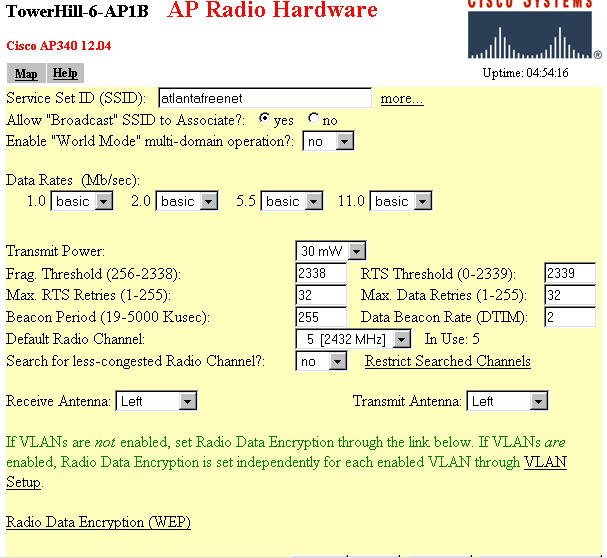
Below is the "Radio Hardware" setup screen. There are a few adjustments you MAY want to make. but you may be happy with the default settings as well.